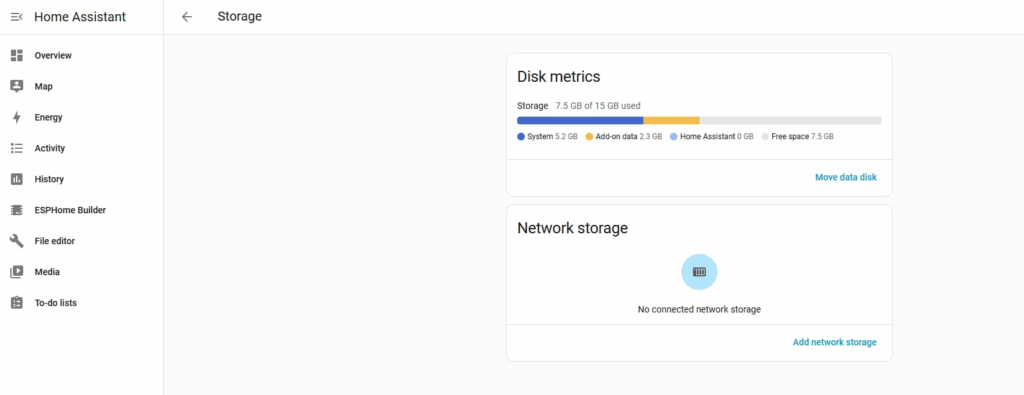
Why choose PVE?
Because PVE has the capability for complete system backup, migration, and restore,
on the same architecture, I can switch at any time to a host with a different system architecture, offering more memory, storage, and a more powerful CPU.
This completes data migration while also increasing system performance and meeting dynamic expansion needs.
For example, I currently have a Raspberry Pi 3B with only 1GB of RAM, and I want to try HomeAssistant smart home technology.
I can flash it onto my approximately 32GB TF card.
Initially, with different expansion plugins and fewer sensors and data sets, 1GB of RAM is barely enough, and 32GB of storage is also barely sufficient.
However, as the number of sensors and plugins increases, it may require 2GB, 4GB, or even 8GB of RAM or higher.
For instance, the DHT11 temperature and humidity sensor compiled by ESPHome works smoothly under normal use, but during firmware compilation, it dynamically requires 4-6GB or even more RAM. If there isn’t enough memory, compilation will fail, resulting in memory overflow and termination of the compilation task.
Another example is connecting 10 DHT11 temperature and humidity sensors to HomeAssistant. The system has five ESP32Cam sensors and three SGP30 air quality sensors. Adding a sensor increases memory and CPU usage. A few sensors don’t cause problems, but dozens become insufficient for performance.
The system continuously records sensor data, especially image and audio/video data from the ESP32Cam sensors. Monthly storage can easily reach 10GB or more, and the 32GB capacity fills up quickly without clearing historical data.
However, for someone like me who needs to access data from a month, six months, or even a year ago, expanding disk capacity is the best solution.
Although Home Assistant provides HA backup and restore, I haven’t used it and am too lazy to test it. I just back up and migrate the entire system as a virtual machine.
Practical operation
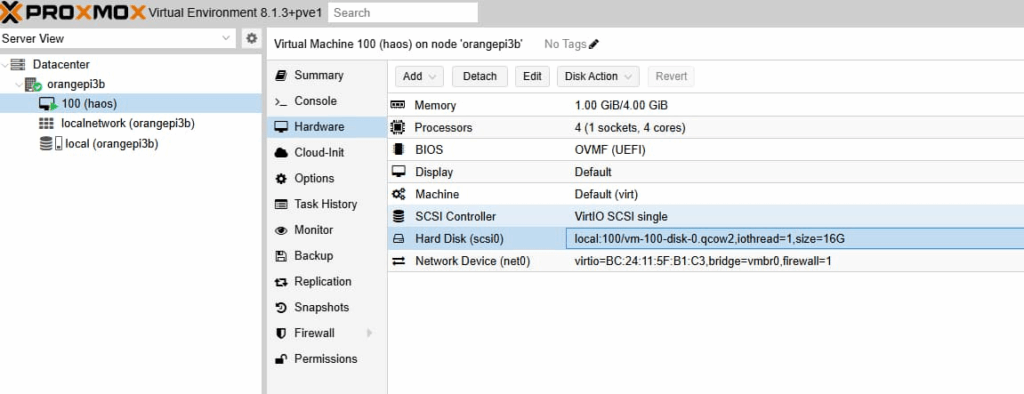
Open PVE and select the Home Assistant system.
Click Hardware, then click Hard Disk (SCSI0), as shown in the image.
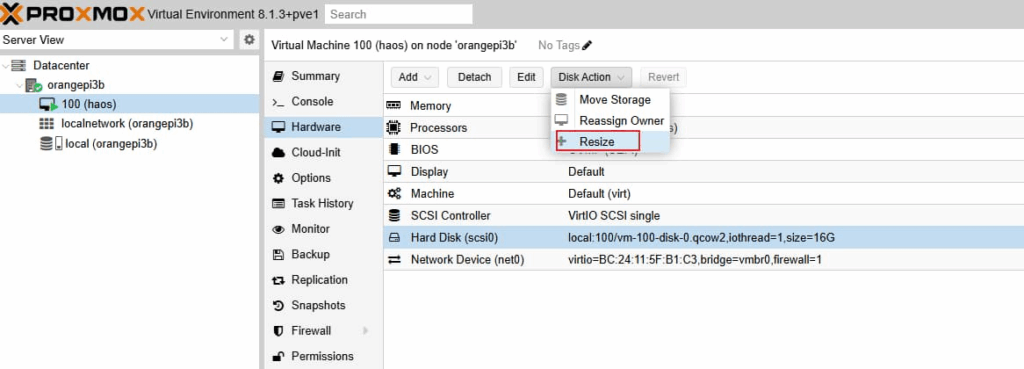
Click Disk Action.
Click Resize
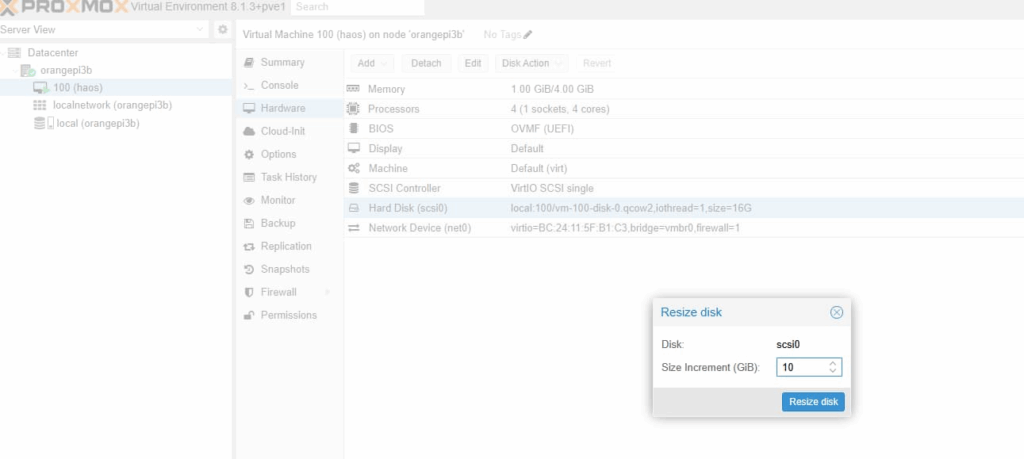
Add the disk size you want to increase. The default unit is GB. For example, adding 10 in this example means adding 10GB to the disk.
Note that you can only add disk size, not set or decrease it.
Finally, add the disk size using the specified variable.
Stop the VM, then restart it, and you’ll see that Home Assistant’s storage has changed.
Tips
I’ve already used an 8GB disk for just 3 days. I’ll check the disk space again in a week.
By calculating how much space plugins and data are using, I can estimate the approximate data storage space needed for one month or six months.