Information panel
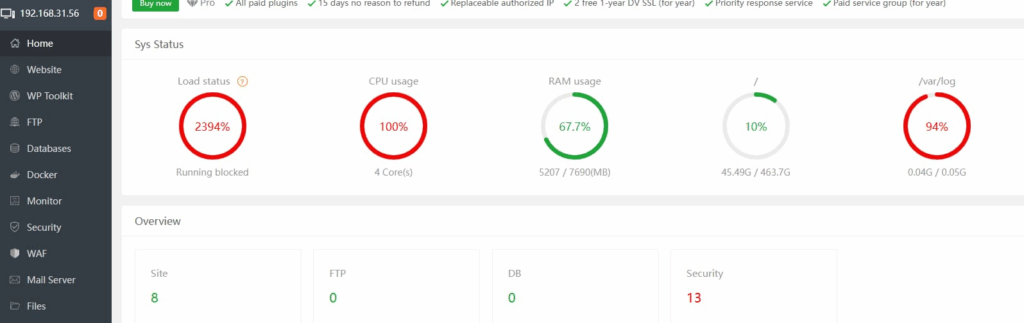
CPU 100%
Performance overload, inaccessible Linux terminal, unable to use top to check the cause.
Recently, I’ve found my blog to be very slow and often inaccessible.
Today I was preparing to deploy the uptime-kuma open-source website monitoring project, but I found that my local server, Orange Pi 3B, has 100% CPU usage.
Cause investigation
I initially thought it was a virus infection,
or that the Orange Pi 3B was running too many WordPress blogs, causing CPU overload and other Docker services.
But I was half right.
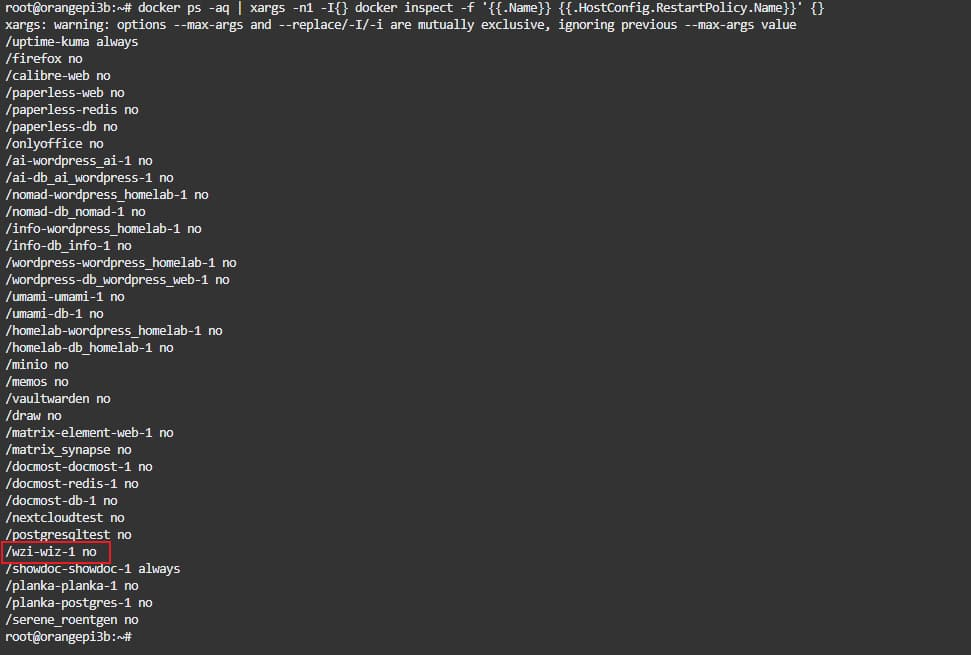
I was about to give up when I suddenly discovered that the Docker image for my unused WZI Notes container restarted on the Orange Pi 3B after a power outage, even though I had set restart: "no" in the docker-compose.yml configuration file, which theoretically shouldn’t have caused the restart.
This WZI container is extremely memory-intensive, requiring at least 4GB of RAM and half the CPU. I used to use it, but switched to ShowDoc about six months ago.
After asking ChatGPT, I learned that if the initial configuration file specifies the startup method, subsequent changes won’t take effect due to caching, unless the Docker image is deleted,
or the Docker restart policy is updated via command line for individual containers.
Now I realize that because I didn’t understand this, the Orange Pi 3B was running a bunch of Docker containers I no longer used, wasting performance and causing the WordPress blog to lag.
Some commands
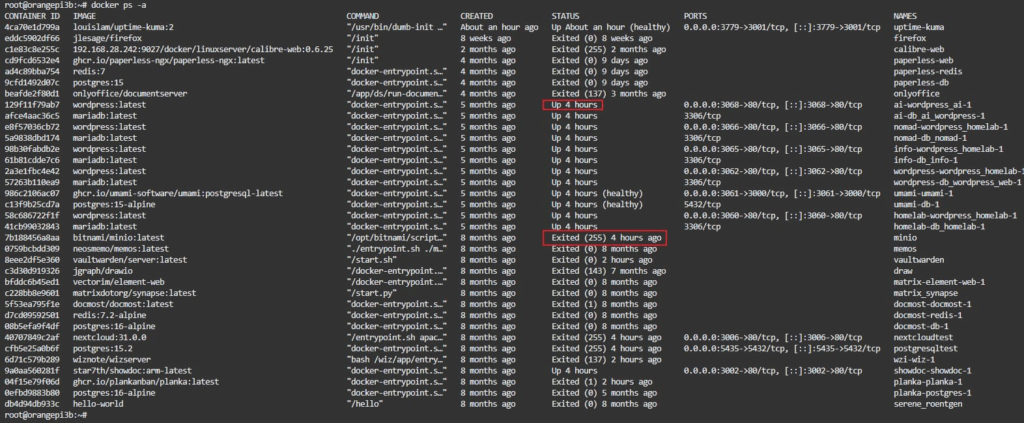
To view the current status of all Docker images and containers:
docker ps -a
A value of up indicates that the container is running.
A value of exitd indicates that the container has stopped.
If you see an unused Docker container still running, remember to check its restart settings and manually stop it if necessary.
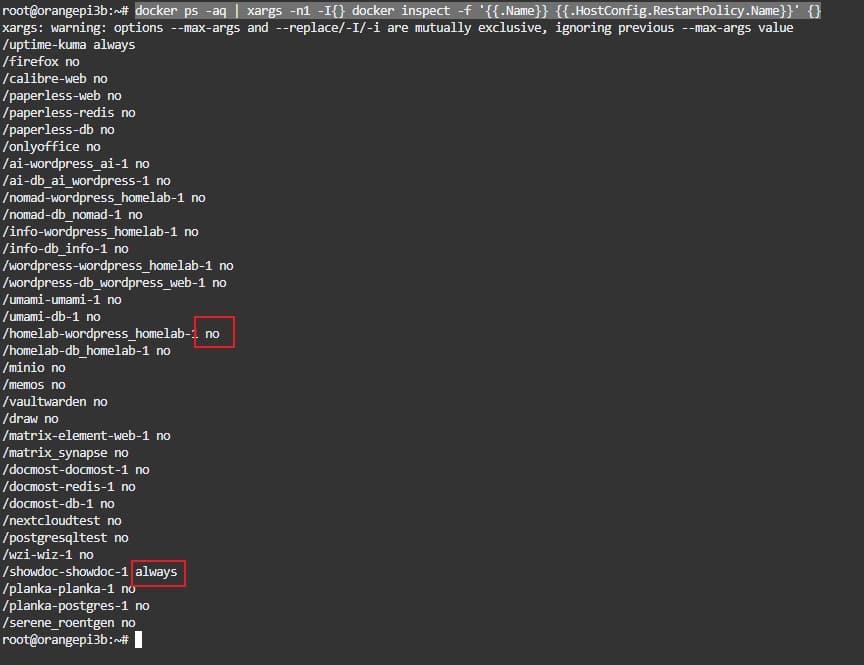
To view the restart settings for all current containers:
docker ps -aq | xargs -n1 -I{}docker inspect -f ‘{{.Name}} {{.HostConfig.RestartPolicy.Name}}’ {}
no means no automatic restart.
For other options, please consult AI.
Update the restart policy for the specified container to “no” to prevent automatic restart.
planka-planka-1 is the container name. Get the container ID.
docker update --restart=no planka-planka-1
After setting, check the status.
docker inspect -f ‘{{.Name}} {{.HostConfig.RestartPolicy.Name}}’ planka-planka-1
Input result:
/planka-planka-1 no

Tips
I thought that simply modifying the docker-compose.yml configuration file wouldn’t have any effect, but it turned out to be ineffective.
As a result, for a year or two, 70% of my Orange Pi 3B’s performance, memory, and CPU were wasted.
I even thought the Orange Pi 3B’s performance was poor, causing my WordPress blog to lag.
I hope others won’t make the same mistake.