Raspberry Pie cm0
Its key feature is support for the Raspberry Pi Lite Server system (64-bit).
However, due to its limited 512MB of RAM and 8GB of eMMC, desktop-based systems for Raspberry Pi are almost entirely unsuitable; only lightweight systems without a desktop environment are recommended.
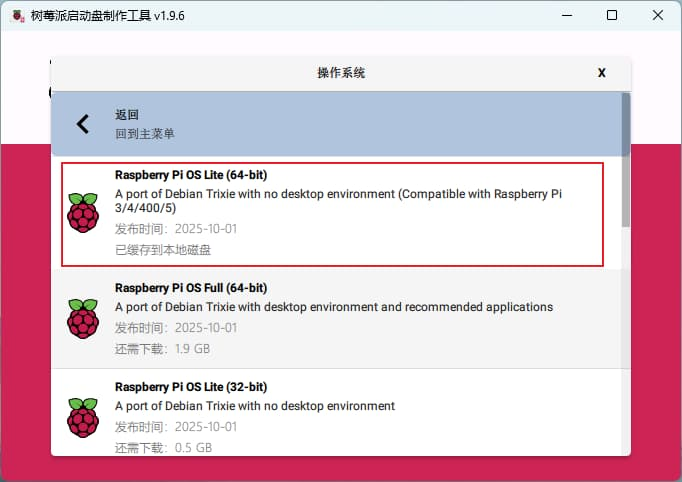
Programming System
There are many precautions and prerequisites for flashing the system.
Firstly, the box sent by the seller contains three items: a Raspberry Pi CM0 development board, a Wi-Fi antenna, and a jumper cover.
The prerequisite for flashing the system is to first insert the jumper cover into two pins on the development board, as marked in red in the image below.
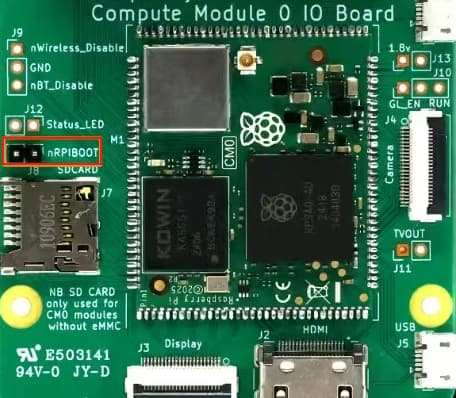
The second step is to first replace the jumper cap, then insert the USB-A (micro USB) data cable into the data port (not the power port).
The power port is labeled “Power,” and the data port is labeled “USB-J.” Insert the cable into the data port, and connect the other end to your computer’s USB port.
It is crucial that you do not insert the power cable at this point, otherwise the development board may be damaged.
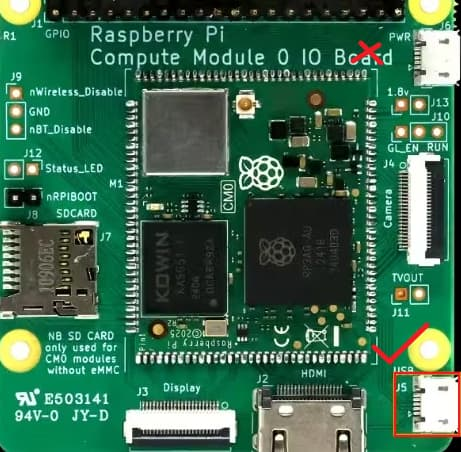
The third step is to turn on the USB switch. Since my USB docking station has a separate switch, after plugging in the data cable, turn on the USB switch.
Then download three software programs to your computer:
First, download Rpiboot:
https://github.com/raspberrypi/usbboot/raw/master/win32/rpiboot_setup.exe
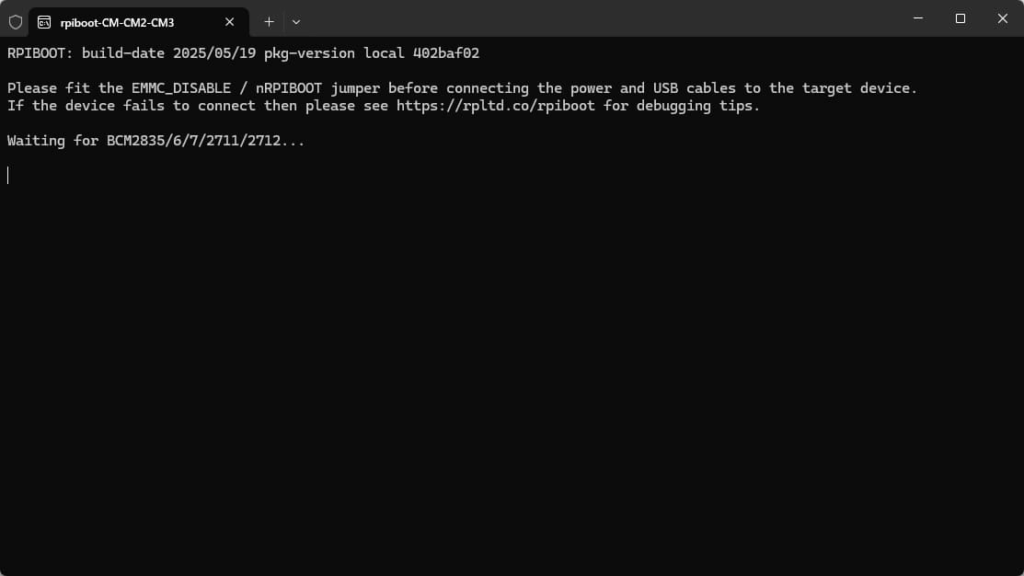
Click the software; it will automatically format the Raspberry Pi’s CM0 eMMC port.
After formatting, the computer will recognize the eMMC port.
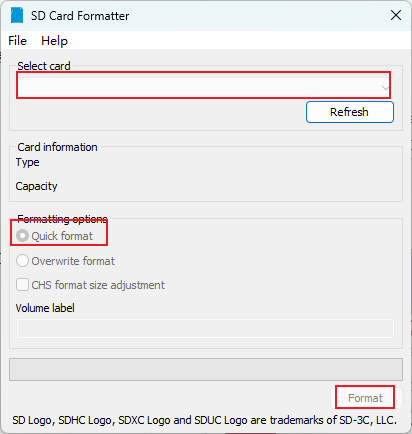
Then download SD Card Formatter:
Select 8GB eMMC, use the default options, and click Format.
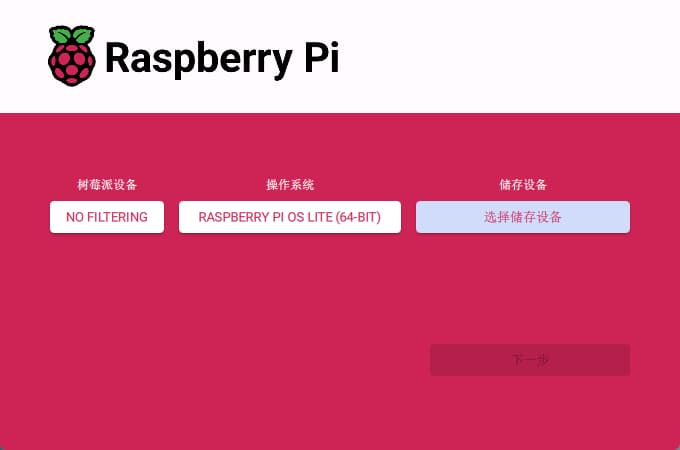
Then you can use the official Raspberry Pi software to flash the system: Raspberry Pi Imager
https://www.raspberrypi.com/software
Precautions
After flashing the system onto the eMMC, unplug the data cable and immediately remove the jumper cap (to avoid switching to system flashing mode again next time).
Keep the jumper cap safe; it’s a very small thing, and if lost, you won’t be able to flash the system next time.
If it’s a Raspberry Pi CM0 with onboard eMMC, then the TF card will be unusable; it cannot be used as an operating system or as an external hard drive.